I used to think the messy part of content work was writing. Then I started managing briefs, drafts, review notes, publishing dates, keyword ideas, and “where is the latest version?” messages in five different places. That is usually where the real slowdown happens.
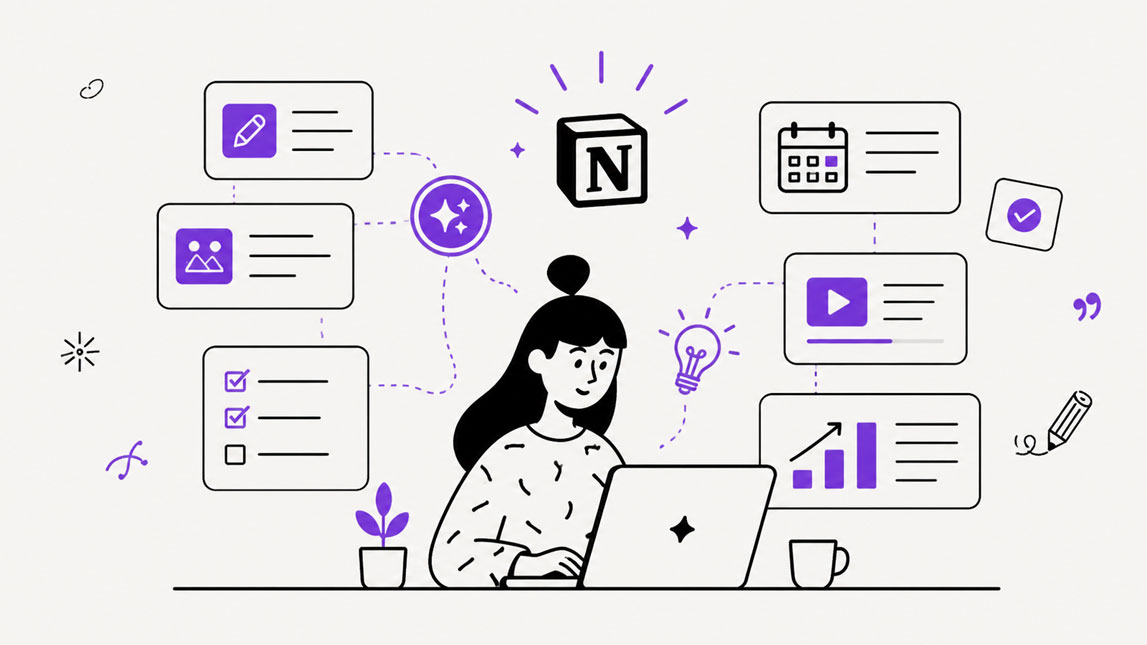
A Notion AI content workflow helps by pulling those moving parts into one workspace. Instead of jumping between documents, spreadsheets, task boards, and chat threads, you can plan content, shape ideas, draft sections, review updates, and track progress from the same place.
The goal is not to let AI run your editorial calendar on autopilot. It is to use Notion AI where it genuinely helps: summarizing research, turning rough ideas into briefs, improving drafts, preparing review notes, and keeping the workflow easier to follow. For freelancers, SaaS builders, and marketers, that can make content workflow management feel much lighter.
Designing your Notion AI content workflow for efficiency
A useful Notion AI content workflow starts with structure, not automation. I would not begin by asking AI to write posts. I would first build the workspace so every idea, brief, draft, review, and published asset has a clear place to live.
The simplest setup is a content database with properties that match how your team actually works. For a small team, that usually means status, content type, owner, target keyword, channel, due date, priority, and final URL. Nothing fancy. The point is to make the workflow visible without turning Notion into another admin-heavy system.
A clean editorial workflow in Notion might look like this:
- Idea captured
- Brief approved
- Draft in progress
- Editorial review
- Ready to publish
- Published
Once that structure is in place, Notion AI automation becomes much more useful. It can summarize research notes inside an idea card, turn scattered comments into a brief, rewrite a weak draft section, or create a quick status update for the team.
For larger content operations, this setup can also connect neatly with a broader system like AI-powered content operations, especially when Notion is used as the planning layer and other tools handle publishing, analytics, or distribution.
Here is a simple way to decide where Notion AI fits best:
| Workflow stage | AI support |
|---|---|
| Idea capture | Cluster themes & patterns |
| Briefing | Summarize research notes |
| Drafting | Expand draft sections |
| Review | Improve clarity and tone |
| Reporting | Summarize team progress |
Leveraging Notion AI for content creation and ideation
The best use of Notion AI for content creation is not replacing the writer. It is removing the blank-page friction that slows down the first 30 minutes of work. That might sound small, but in a busy content workflow, it adds up quickly.
Inside a content database, Notion AI can turn rough ideas into workable angles. If you collect customer questions, sales objections, keyword notes, and competitor gaps in the same workspace, you can ask AI to identify patterns and suggest article ideas.
A useful prompt for ideation could be:
For outlining, I would keep the prompt more constrained. Broad AI prompts usually produce broad outlines. Better results come from giving Notion AI the audience, content type, keyword, and desired depth.
Drafting is where I would stay careful. Notion AI can create a first version of a section, but the strongest content still needs experience, examples, and editing.
When used this way, Notion AI becomes less of a “write everything for me” tool and more of an AI workspace for content teams that need speed without losing control.
Automating editorial reviews and approvals with Notion AI
Editorial review is where many content workflows quietly fall apart. Drafts sit in limbo, feedback gets scattered across comments and messages, and nobody is fully sure whether a piece is actually ready. Notion AI can reduce that friction by making review steps more consistent.
I would not let AI approve content on its own. That is still an editor’s job. What it can do well is prepare the draft for a better human review. It can check whether the tone matches the brief, summarize what changed, flag unclear sections, and suggest simpler wording.
A practical review process might include a small AI-assisted checklist inside each content card:
- Ask Notion AI to summarize the draft in three sentences.
- Ask it to identify sections that feel vague or repetitive.
- Use it to adjust tone for the target audience.
- Generate a short reviewer summary before handoff.
For example, an editor could use this prompt before leaving feedback:
This makes the review stage faster because the editor starts with a sharper view of the draft. It also helps junior writers understand what needs improvement without turning feedback into a long, painful thread.
Approval workflows can stay simple. Add properties such as reviewer, approval status, revision notes, and publish date. Then use Notion AI to generate a short summary of the current status for weekly content meetings.
This fits naturally into a wider small business AI workflow automation strategy, where the goal is not to automate every decision but to remove repetitive coordination work.
Centralizing content management in your Notion AI workspace
A strong content workflow management system needs one reliable home. Without that, even good teams end up spreading work across docs, spreadsheets, chat threads, task boards, and random “final-final” files.
In a Notion AI content workflow, each content item can hold the brief, notes, draft, reviewer comments, status, assets, internal links, and publishing checklist. That creates a single source of truth, which sounds boring until you have spent 20 minutes looking for the latest version of a blog post. Then it feels magical.
The workspace also gives managers and collaborators better visibility. A marketer can see what is planned for the month. A founder can scan upcoming thought leadership pieces. A writer can open one page and understand exactly what needs to happen next.
Notion AI improves that visibility by turning raw workspace activity into useful summaries. It can recap a content pipeline, summarize meeting notes, extract action items, or explain why a draft is blocked. For lean teams, that matters. You do not need another meeting just to understand the state of the work.
The best setup is not the most complex one. It is the one people actually use. Start with a clear content database, add templates for repeatable work, use AI where it saves thinking time, and keep human review where quality matters.
Unlock a more productive content team with Notion AI
A good Notion AI content workflow does not magically remove the hard parts of content work. You still need a clear strategy, strong ideas, sharp editing, and people who care about quality. What it can do is remove a lot of the scattered, repetitive work that makes content production feel heavier than it needs to be.
By combining structured databases, reusable templates, AI-assisted drafting, review support, and centralized project visibility, Notion AI gives content teams a workspace that feels easier to trust.
The real value is not only speed. It is knowing where things stand, what needs attention, and how each piece is moving from idea to publication
For lean teams, that can make a real difference. When your workflow is clear and your tools stay close to the work, content management becomes less about chasing updates and more about building a rhythm you can actually maintain.

Artificial Intelligence Specialist | AI-Driven Workflow Strategist