
You open your inbox to answer one quick customer message, then notice a lead form waiting, a missed follow-up, three support questions, a half-finished report, and a content task you were supposed to publish yesterday. Nothing looks huge on its own. Together, it quietly eats the morning.
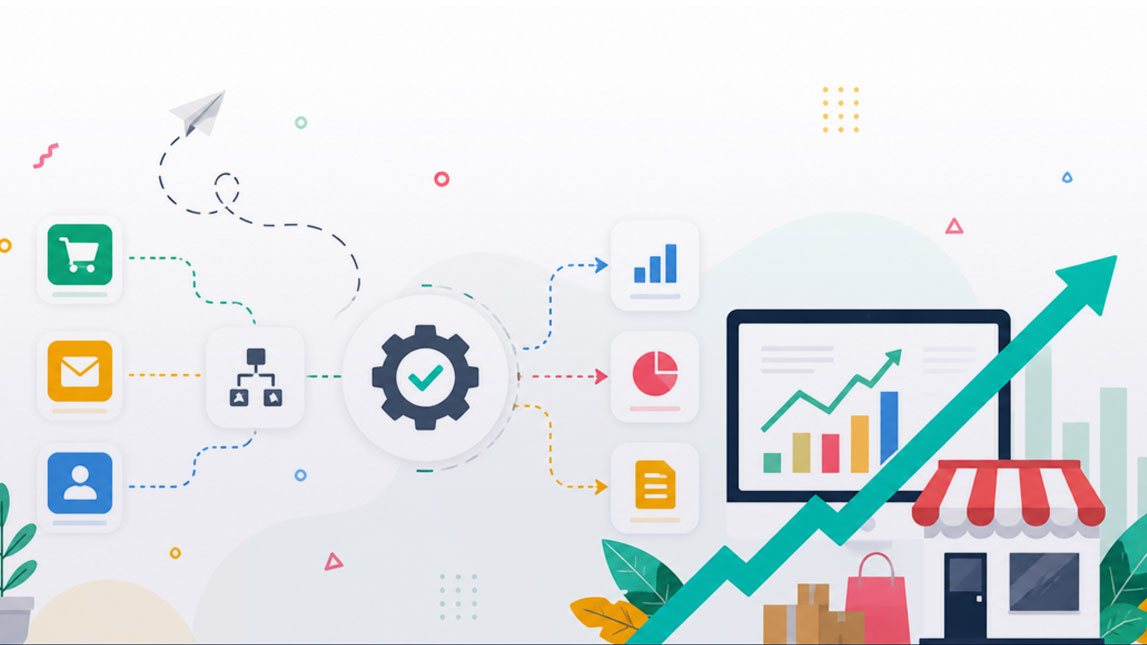
That is usually where AI workflow automation starts to make sense for small businesses. Not as a flashy “replace the team” idea, but as a practical way to stop repetitive work from spreading across every part of the day. When the right tasks are automated, AI can help qualify leads, summarize conversations, draft replies, organize data, and move information between tools without needing someone to babysit every step.
For freelancers, indie makers, marketers, and SaaS builders, the real value is not just saving a few minutes here and there. It is creating a cleaner operating rhythm. Less copy-pasting. Fewer missed handoffs. Faster responses. More space to think, sell, build, and serve customers properly.
In this guide, we will look at how AI workflow automation works, where it fits inside a small business, which tools and workflows are worth considering, and how to implement it without turning your operations into a complicated mess.
Understanding AI workflow automation for small businesses
AI workflow automation is the process of using artificial intelligence to handle, route, improve, or complete recurring business tasks without someone manually pushing every step forward. For a small business, that might mean an inquiry form automatically turns into a qualified lead, a support question gets classified before anyone reads it, or a weekly report gets summarized from several tools before Monday morning coffee.
The important word here is workflow. AI is not just writing a caption, answering one email, or generating a logo idea. It becomes far more useful when it sits inside a repeatable process. A task comes in, the system understands something about it, makes a decision, takes action, and sends the result somewhere useful.
Traditional automation usually follows fixed rules. If this happens, then do that. It is reliable, but often rigid. AI workflow automation adds interpretation. It can read messy text, summarize long conversations, detect sentiment, extract details from documents, suggest next actions, or personalize an output based on context. That is where small businesses start to feel the difference.
A simple comparison makes this clearer:
| Type | How it works | Best for |
|---|---|---|
| Manual work | Human handles each step | Creative judgment |
| Traditional automation | Fixed trigger and action | Simple repeatable tasks |
| AI automation | Interprets and decides | Messy knowledge work |
For freelancers, indie makers, marketers, and SaaS builders, this matters because the bottleneck is rarely one big dramatic task. It is usually the pile of small things: checking messages, updating spreadsheets, replying to prospects, formatting content, tracking invoices, summarizing calls, cleaning CRM data, and remembering to follow up.
I have seen small teams lose more time to “tiny admin” than to actual strategy. One email is no big deal. Twenty-seven small follow-ups across five tools? That is where a week starts leaking.
AI automation for small business is not about replacing the owner’s thinking. It is about reducing the drag around that thinking. The business owner still decides the offer, the positioning, the customer promise, and the final judgment calls. AI simply helps the system move faster between those decisions.
The growth potential comes from consistency. A small business with documented AI workflows can respond faster, keep cleaner data, personalize more touchpoints, and operate with fewer dropped balls. That does not magically create a great business, but it gives a good business more room to breathe.
Why small businesses need AI automation: key benefits
Small businesses do not usually have the luxury of extra departments. The same person might handle sales, support, billing, operations, and marketing before lunch. AI workflow automation helps by removing some of the repetitive friction that keeps capable people stuck in maintenance mode.
The first benefit is time recovery. When AI handles summaries, draft responses, lead enrichment, data extraction, and task routing, people spend less time preparing to work and more time doing the work that actually matters. A marketer can review campaign angles instead of manually pulling performance notes. A SaaS founder can look at churn patterns instead of reading every support thread one by one.
Cost reduction follows naturally, but it should be understood correctly. AI automation does not always mean cutting headcount. In a small business, it often means delaying unnecessary hires, reducing tool sprawl, and avoiding expensive mistakes caused by rushed manual work. A founder who automates invoice reminders, onboarding emails, and CRM updates might avoid hiring part-time admin support too early.
Efficiency also improves because AI workflows can run outside normal working hours. A customer fills out a form at 11 p.m., receives an immediate personalized response, gets added to the right CRM segment, and triggers a task for the sales owner the next morning. Nobody had to be online. The customer still felt seen.
Customer experience is another big one. People notice speed. They notice when a reply references their actual question instead of sending a generic template. AI can help classify requests, draft context-aware responses, recommend next steps, and surface urgent issues before they sit in an inbox too long.
There is also a competitive edge that feels subtle at first. A small business that automates internal workflows can behave like a larger team. Not by pretending to be a corporation, but by being more responsive, more organized, and more consistent than competitors who are still copying information between tabs.
Some of the most common gains show up in practical, measurable ways:
- Faster response times because incoming requests are categorized and routed automatically.
- Lower admin workload because repetitive data entry and document handling are reduced.
- Better accuracy because AI can extract, compare, and flag information before review.
- More consistent marketing because content briefs, reports, and campaign drafts follow a repeatable process.
- Improved follow-up because leads and customers do not depend on someone’s memory.
There is a psychological benefit too. When recurring tasks have a system, the business feels less chaotic. That matters more than most productivity advice admits. A calmer operator makes better decisions.
Practical applications: automating business tasks with AI
The easiest way to understand AI workflow automation is to look at where the work actually happens. Small businesses do not need “AI everywhere.” They need it in the places where repetitive decisions, messy information, and delayed follow-ups create real friction.
Marketing and content workflows
Marketing teams, even tiny ones, deal with an endless loop of research, planning, drafting, publishing, repurposing, and reporting. AI can speed up each stage without turning the brand into a bland content machine.
A practical AI productivity workflow might start with keyword or audience research, then generate a content brief, draft social variations, create newsletter angles, and summarize performance after publication. The human still shapes the point of view. The workflow handles the scaffolding.
For example, a small agency could automate a weekly content system where customer questions from support tickets are grouped into themes, converted into blog ideas, and turned into draft outlines. That connects real customer language to marketing output, which is much better than guessing topics in a vacuum.
Useful marketing tasks to automate include:
- Turning customer questions into content ideas.
- Creating first-draft campaign briefs.
- Repurposing blog posts into social posts.
- Summarizing analytics into plain-language insights.
- Generating email subject line variations for review.
A good prompt can help standardize this kind of workflow:
The risk is obvious: generic content. AI should not be the final voice of the business. It should be the assistant that organizes raw material, suggests angles, and reduces blank-page time.
Sales and customer support workflows
Sales workflows are full of small handoffs. A lead submits a form. Someone checks whether they fit the offer. A reply gets drafted. A follow-up is scheduled. Notes are added to the CRM. If any step is delayed, momentum drops.
AI can qualify leads by reading form responses, identifying intent, scoring urgency, and suggesting the best next action. For a SaaS business, this might mean separating trial users who need onboarding from enterprise prospects who need a human conversation. For a freelancer, it might mean detecting whether a project request matches their service, budget, and timeline.
Customer support is another natural fit. AI can categorize tickets, detect frustration, suggest draft replies, summarize past conversations, and escalate urgent issues. This does not mean hiding behind a bot. In fact, the best support automation often makes human replies better because the support person starts with context instead of confusion.
Here is a simple view of where AI fits across business functions:
| Function | AI use case | Human role |
|---|---|---|
| Marketing | Draft briefs | Refine strategy |
| Sales | Score leads | Close deals |
| Support | Classify tickets | Solve edge cases |
| Operations | Summarize reports | Make decisions |
HR and hiring workflows can also benefit, especially for small teams that hire occasionally but cannot afford messy processes. AI can summarize applications, compare candidates against role criteria, draft interview questions, and organize feedback. The human judgment still matters, especially to avoid bias or over-relying on automated screening.
Operations may be the most underrated area. AI can extract data from invoices, monitor stock or project status, summarize meetings, create task lists, and flag anomalies. Not glamorous. Very useful.
When people ask how to automate business tasks with AI, I usually suggest starting with workflows that already have clear inputs and outputs. A support ticket has an input and a resolution. A sales form has an input and a next step. A meeting has an input and action items. These are easier to automate than vague tasks like “improve strategy.”
Choosing the right AI workflow automation tools
The tool market is crowded, and honestly, it can get noisy fast. Every platform claims to save hours, boost productivity, and transform operations. The better question is not “Which tool is best?” It is “Which tool fits the way this business already works?”
Workflow automation tools usually fall into a few broad categories. Some connect apps and move data between them. Some focus on AI agents or chat-based task execution. Others live inside CRMs, help desks, email platforms, project management tools, or analytics dashboards. No-code automation tools are especially attractive for small businesses because they let non-technical users build workflows visually.
A small business should evaluate tools through practical constraints, not hype. Can the owner understand the workflow? Can the team fix it when something breaks? Does it integrate with existing tools? Is the pricing predictable? Does it handle customer data responsibly?
A simple selection framework helps:
| Factor | Why it matters | Question to ask |
|---|---|---|
| Ease of use | Reduces dependency | Can we edit it? |
| Integrations | Prevents tool silos | Does it connect? |
| Scalability | Supports growth | Will costs spike? |
| Security | Protects data | What is stored? |
| Reliability | Avoids broken flows | Can we monitor it? |
No-code automation tools are often enough for the first version of an AI workflow. They let you connect forms, spreadsheets, email tools, CRMs, project boards, and AI models with conditional logic. That is plenty for lead routing, content briefs, support summaries, onboarding sequences, and internal reporting.
AI-powered platforms can go deeper when the task requires interpretation. For example, a support workflow might need sentiment detection, ticket summarization, and suggested replies. A finance workflow might need document extraction and anomaly detection. A marketing workflow might need to transform long-form content into multiple channel-specific drafts.
Integration deserves special attention. A shiny AI tool that does not connect to the systems you already use often creates more work. You end up exporting, importing, copying, cleaning, and wondering why your “automation” feels like another job. No biggie at first, painful later.
Cost is not just the monthly subscription. Usage-based AI pricing can change as workflows scale. A process that runs ten times per week is different from one that runs ten thousand times per month. Small businesses should estimate volume before building critical workflows around a tool.
The best tool is usually boring in the right way. It works, connects cleanly, gives you enough control, and does not require a technical rescue every Friday afternoon.
Implementing AI automation: a step-by-step guide
AI workflow automation works best when it starts small. Trying to automate half the business in one sprint usually creates confusion, not efficiency. A focused pilot gives you proof, feedback, and confidence before you scale.
Start with one painful workflow
Look for a process that is frequent, repetitive, and annoying enough that people already complain about it. That is a good sign. The workflow should also be measurable. If nobody can tell whether it improved, it is not the best starting point.
Good first candidates include lead follow-up, support ticket triage, meeting summaries, invoice reminders, content repurposing, onboarding emails, and weekly reporting. These workflows have clear triggers and visible outcomes.
Before building anything, map the current version. What starts the process? Who touches it? Which tools are involved? Where do delays happen? What information gets copied manually? This step feels basic, but skipping it is how teams automate a bad process and then wonder why the result still feels clunky.
A practical implementation roadmap might look like this:
- Identify one recurring workflow with a clear business impact.
- Map the current manual process from trigger to final output.
- Define what AI should decide, draft, extract, or summarize.
- Choose a simple tool stack that connects to existing systems.
- Build a small pilot with human review included.
- Measure time saved, accuracy, speed, and user satisfaction.
- Improve the workflow before expanding it to other areas.
The human review step is important. Early AI workflows should not run completely unchecked, especially when they affect customers, money, hiring, or legal commitments. Review does not slow progress. It teaches the system what “good” looks like.
Measure before you scale
A workflow should have a goal before it has a tool. “Use AI” is not a goal. “Reduce first response time from 12 hours to 2 hours” is a goal. “Cut weekly reporting from three hours to thirty minutes” is a goal. “Increase qualified lead follow-up rate to 95%” is a goal.
Measurement does not need to be complicated. Track a few indicators before and after the pilot. Time saved is useful, but it is not the only metric. Accuracy, customer satisfaction, completion rate, error reduction, and team confidence all matter.
Here is a simple way to connect workflows to metrics:
| Workflow | Main metric | Success signal |
|---|---|---|
| Lead routing | Response time | Faster follow-up |
| Support triage | Resolution speed | Fewer delays |
| Reports | Hours saved | Less admin |
| Onboarding | Completion rate | Smoother activation |
After the pilot works, document the workflow. Write down what triggers it, which tools are involved, where AI is used, what the fallback is, and who owns the process. This documentation does not need to be fancy. It just needs to be clear enough that someone else can understand it later.
Scaling should happen in layers. First, improve the workflow. Then connect it to adjacent processes. A lead qualification workflow might later connect to email nurturing, sales tasks, proposal generation, and onboarding. That is how an AI productivity workflow grows naturally without becoming a tangled automation monster.
I like to review automations after they have run in the real world for a bit. Not because I expect them to fail, but because real usage reveals weird edge cases. Someone submits a messy form. A customer writes in all caps. A tool changes a field name. Welp, now the workflow needs a small adjustment.
Overcoming challenges and maximizing AI productivity workflow
AI workflow automation has real upside, but it is not magic. The common challenges are predictable: messy data, weak integrations, privacy concerns, unclear ownership, and team resistance. None of these are deal-breakers. They just need to be handled deliberately.
Data privacy should come first. Small businesses often deal with customer emails, payment details, contracts, private project notes, and employee information. Before sending that data through an AI workflow, check what the tool stores, how it processes data, and whether sensitive fields can be removed or masked.
A useful rule: do not automate sensitive workflows casually. Customer support summaries may be fine with the right safeguards. Uploading confidential contracts into a random tool without reviewing privacy terms is not fine. The goal is productivity without unnecessary exposure.
Integration complexity is another common issue. Workflows break when tools do not talk to each other cleanly, fields are inconsistent, or someone changes a form without updating the automation. This is why simple naming conventions, clean data fields, and basic monitoring matter.
Employee training is less about technical skill and more about trust. People need to understand what the AI is doing, where they should review outputs, and when they should override the system. If automation feels like a black box, teams either ignore it or overtrust it. Both are risky.
A healthy AI productivity workflow usually follows a few best practices:
- Keep humans in the loop for high-impact decisions.
- Use clear labels for AI-generated outputs.
- Review workflow performance on a regular schedule.
- Start with low-risk tasks before automating sensitive processes.
- Create fallback steps when an automation fails or produces uncertainty.
- Train the team on both capabilities and limits.
Quality control is where many small businesses get better results than larger teams. A small team can notice quickly when an automated reply sounds off, a lead score feels wrong, or a summary misses nuance. That feedback loop is valuable. Use it.
There is also a strategic challenge: automation can make bad processes faster. If your onboarding emails are confusing, AI can send them more efficiently, but customers will still be confused. If your CRM categories are messy, AI may organize the mess instead of fixing it. Before adding automation, ask whether the workflow deserves to exist in its current form.
The best AI automation systems stay flexible. They are reviewed, adjusted, and improved as the business changes. New offers, new customer segments, new tools, and new team members all affect workflows. Treat automation as an operating system, not a one-time setup.
For small businesses, the real win is not having AI everywhere. It is having the right tasks move with less friction, fewer delays, and better context. That is when AI workflow automation stops feeling like a trend and starts feeling like a practical advantage.
FAQ
What is AI workflow automation for small businesses?
AI workflow automation involves using artificial intelligence to streamline and automate repetitive tasks and processes within a small business. Instead of handling every step manually, AI can help interpret information, draft responses, extract data, route tasks, and support faster decision-making.
How can AI automation benefit my small business?
Small businesses can gain increased efficiency, reduced operational costs, improved accuracy, faster task completion, and better customer experiences. The biggest benefit is often time recovery, because owners and teams can spend less energy on repetitive admin and more energy on work that grows the business.
What types of tasks can AI automate for small businesses?
AI can automate customer support triage, data entry, email management, social media scheduling, lead qualification, inventory updates, meeting summaries, invoice reminders, and personalized marketing workflows. The best starting point is usually a task that is frequent, repetitive, and easy to measure.
Are there affordable AI workflow automation tools for small businesses?
Yes, many no-code automation tools and AI-powered platforms offer affordable plans designed for small businesses. Pricing often depends on usage, features, or the number of workflow runs, so it is worth estimating your expected volume before choosing a tool.
Is it difficult to implement AI workflow automation without technical expertise?
Not necessarily. Many modern workflow automation tools are built for non-technical users and offer visual builders, templates, and no-code integrations. The harder part is usually not the tool itself, but choosing the right workflow, defining clear rules, and reviewing outputs carefully during the first pilot.
AI workflow automation works best when it feels less like a tech project and more like a smarter way to run the business. Start with one repetitive task, understand where the friction really happens, and let AI support the parts that slow people down: sorting, summarizing, drafting, routing, checking, and following up.
For small businesses, that small shift can compound quickly. A faster support workflow improves customer experience. Cleaner lead routing protects revenue. Automated reporting gives owners better visibility without adding another admin-heavy ritual to the week.
The goal is not to automate everything just because the tools are available. It is to build an AI productivity workflow that gives your team more focus, more consistency, and fewer tiny operational leaks. The best systems still keep human judgment close, especially where trust, nuance, and customer relationships matter.
If you are experimenting with AI workflow automation in your own business, I’d be curious to know where you would start first: sales, marketing, support, or operations?

Artificial Intelligence Specialist | AI-Driven Workflow Strategist








5 Comments