The first time you try to connect AI to a real technical workflow, the limits show up fast. The prompt works, the demo looks clean, then suddenly you need custom routing, safer data handling, better error control, and a way to see what the automation is actually doing.
That is where n8n AI automation becomes interesting. It gives technical teams a way to build AI-powered workflows with more control over logic, infrastructure, integrations, and approvals, without turning every automation project into a full engineering sprint.
The challenge: why technical teams need more control over AI automation
Most AI automation tools feel useful until a technical team needs to inspect what is actually happening under the hood. A prebuilt connector can send a prompt, receive an answer, and update a record, sure. The problem starts when you need custom logic, strict data handling, retries, versioning, or a workflow that does not fit the tool’s happy path.
That black-box feeling gets old quickly.
For developers, ops teams, and technical marketers, AI automation is not just about saving clicks. It is about deciding where data goes, how models are called, what happens when outputs fail, and how much of the system can be audited later.
n8n: the self-hosted solution for technical workflow automation
n8n fits nicely into that gap because it gives teams a visual workflow builder without taking away technical control. You can use it like a low-code automation platform, but it does not force you to stay inside a narrow no-code box.
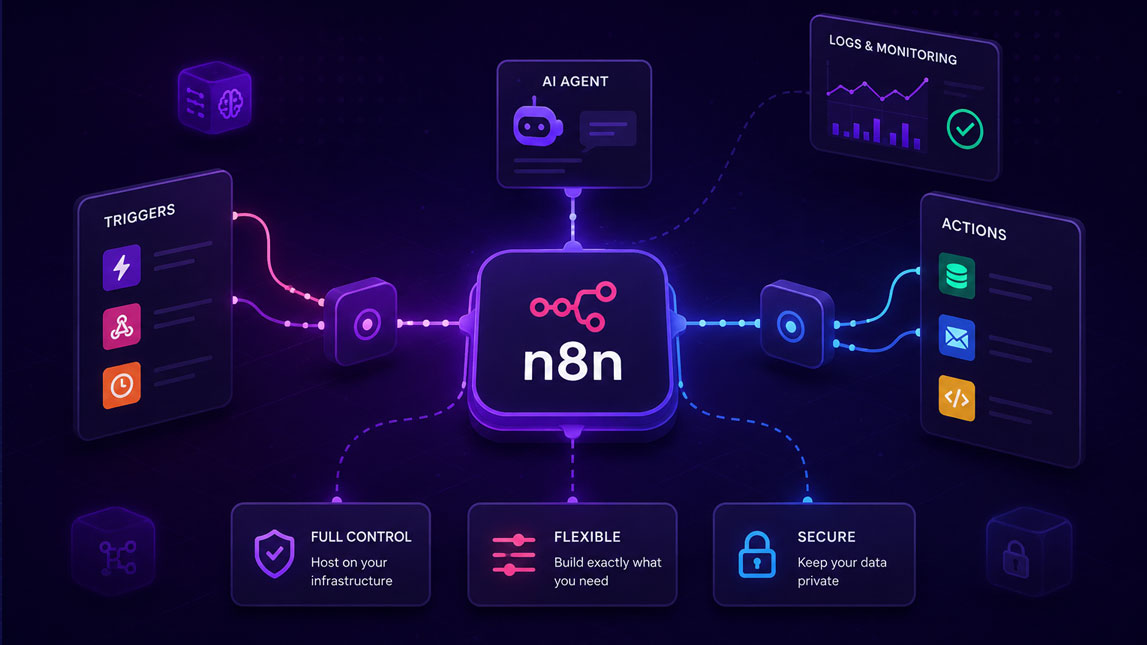
The biggest difference is ownership. As a self-hosted automation tool, n8n can run in infrastructure your team controls, which matters when workflows touch customer data, internal APIs, product analytics, or proprietary prompts. SaaS automation tools are convenient, but they often make you adapt your process to their environment.
n8n works better when the workflow needs to adapt to you.
It also supports the broader idea behind building no-code AI workflows without a developer, while giving technical teams room to go deeper when the default setup is not enough.
Granular control over n8n AI automation
Control the model, prompt, and data path
The strength of n8n AI automation is not only that it connects to AI services. Plenty of tools do that now. The real value is that you can decide exactly how each step behaves before and after the AI call.
A workflow might pull data from a database, clean it with JavaScript, send only selected fields to an LLM, validate the response, then push the result into a CRM or internal dashboard. That sounds simple, but the control points matter.
In a practical setup, you can define:
- Which data fields are sent to the model.
- Which AI provider or endpoint handles the request.
- How the output is parsed, checked, and stored.
- What fallback runs when the AI response is incomplete.
That kind of visibility is hard to get from a one-click AI feature.
Here is a simple comparison that shows where n8n usually makes sense:
| Need | Typical AI tool | n8n approach |
|---|---|---|
| Quick task | Easy setup | Still possible |
| Custom logic | Often limited | Highly flexible |
| Data control | Vendor-dependent | Infrastructure-owned |
| Debugging | Partly hidden | Step-by-step visibility |
For technical workflow automation, that step-by-step visibility is not a luxury. It is what lets a team improve the system without guessing.
Building and orchestrating AI agents with n8n
Agents as workflows, not magic
I like thinking about AI agents with n8n as structured workflows with reasoning steps, memory sources, tools, and guardrails. That framing keeps things practical. Instead of treating the agent like a mysterious assistant, you build a sequence of decisions it can follow.
For example, an AI support triage agent could receive a ticket, classify the issue, check documentation, summarize the likely cause, and decide whether to draft a reply or escalate to a human. Each step can be visible in n8n. Each condition can be changed.
That is where n8n workflow automation becomes more interesting than a simple “AI writes text” setup. You can chain models, route outputs through conditional logic, call external APIs, and add human approval before anything sensitive is published or sent.
A useful agent workflow might include model calls, database lookups, custom code nodes, error branches, and a review step in Slack or email. Not glamorous, maybe. Very useful, though.
Practical applications: n8n for advanced technical workflows
Where it works best
n8n is especially strong when AI has to sit inside a larger operational system. Not a standalone chatbot. Not a random prompt pasted into a tool. A real workflow.
A SaaS team could use it to monitor product events, summarize abnormal usage patterns, and alert engineering when something looks off. A marketing team could generate content briefs from keyword data, enrich them with competitor notes, and send drafts into a review queue. A data team could process messy form submissions, normalize fields, and classify leads before they reach sales.
For small teams exploring AI workflow automation for small businesses, this is where n8n becomes practical rather than experimental. It lets you start with one workflow, then gradually add more intelligence, checks, and integrations as the process matures.
Empowering technical teams with n8n
n8n gives technical teams the thing many AI tools remove: control. You can inspect the logic, choose the infrastructure, customize the model interactions, and keep humans involved where judgment still matters.
That does not mean every workflow needs to become complex. Sometimes the best n8n automation is surprisingly small. But when the stakes are higher, such as customer data, internal systems, or production operations, having a transparent automation layer makes a real difference.
For teams that want AI automation without surrendering their architecture, n8n is one of the more practical paths forward.
n8n is not the simplest path for every AI automation project, and that is part of its value. It makes the most sense when a team needs to own the logic, understand the data flow, and shape the workflow around real technical constraints instead of accepting whatever a closed tool allows.
For technical teams, that control changes the way AI automation feels. Less like handing work to a black box, more like building a system you can inspect, adjust, and trust as it grows.

Artificial Intelligence Specialist | AI-Driven Workflow Strategist