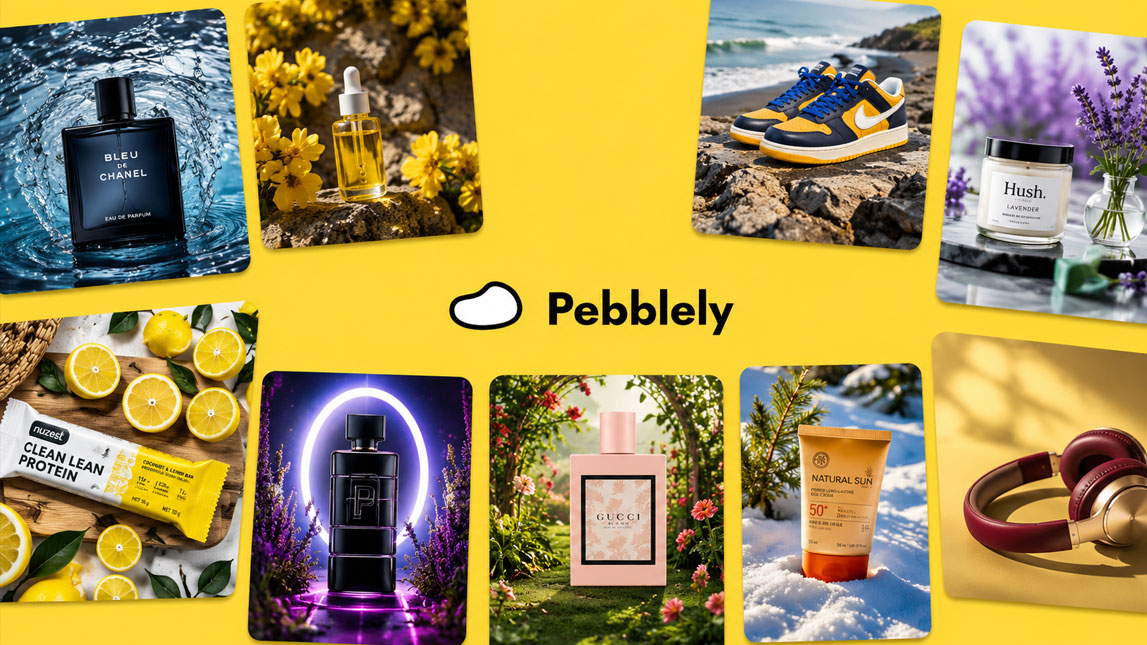
A product photo can make a small ecommerce brand look instantly sharper, or instantly less trustworthy. That’s why tools like Pebblely are getting attention: they promise cleaner, more polished visuals without the cost and friction of a full product shoot.
For founders, marketers, and lean ecommerce teams, pebblely ai product photography is less about replacing creativity and more about moving faster.
Upload a product, test a few scenes, and turn a plain image into something you can actually use on a store, ad, or social post.
Introducing Pebblely AI product photography: a game-changer for ecommerce
Pebblely is built for a specific pain: turning plain product shots into polished ecommerce visuals without booking a studio, styling a set, or spending hours in Photoshop.
For small brands, that matters. A candle, skincare bottle, coffee bag, or supplement jar can look flat on a white background, even if the product itself is strong.
Pebblely ai product photography helps bridge that gap by placing your product into cleaner, more attractive scenes that feel closer to campaign assets than basic catalog shots.
I’d place it in the same practical category as other AI tools for ecommerce product visuals, but with a tighter focus on product photos.
How Pebblely works: generating stunning product photos in minutes
The basic workflow
The process is simple. You start by uploading a clear product image, ideally with the product facing forward and not buried in shadows or busy props. Pebblely then removes or isolates the product so it can rebuild the scene around it.
From there, you can choose a preset style or describe the background you want. That might be a marble bathroom counter, a sunny kitchen shelf, a luxury skincare setup, or a clean studio scene with soft shadows.
A typical workflow looks like this:
- Upload a clean product photo.
- Let Pebblely remove the background.
- Choose a preset or write a scene prompt.
- Generate several image variations.
- Download the strongest option for your store or ads.
The real value is how quickly you can compare diirections. Instead of building one visual concept from scratch, you can test several scenes and keep the one that fits your product best.
Key features for elevating your ecommerce product images
Pebblely works best when you use it as an ai product photo generator for repeatable visual production. The background generation is the obvious feature, but consistency is just as useful. You can create product images that share a similar mood, color palette, and lighting style across a product line.
A simple comparison helps clarify where it fits:
| Feature | Practical use |
|---|---|
| Background generation | Create lifestyle scenes fast |
| Style presets | Keep visuals consistent |
| Prompt control | Build specific scenes |
| High-resolution export | Use images commercially |
Lighting and shadows are especially important. A generated scene only works if the product feels like it belongs there. Pebblely usually handles this well enough for ecommerce product images, social posts, ad creatives, and landing page sections, although I’d still review details closely before using images for hero banners.
Beyond the basics: creating AI product mockups and custom backgrounds
Creative use cases
Pebblely becomes more interesting when you stop thinking only in terms of “nice backgrounds” and start using it for positioning. A protein powder brand can test gym, kitchen, and outdoor running scenes. A skincare brand can compare spa-style visuals with minimalist bathroom counters.
That is where its product background generator side becomes useful.
You can create ai product mockups for seasonal campaigns, ad tests, collection launches, or marketplace thumbnails. A simple prompt like [prompt:Place this product on a warm wooden table beside natural ingredients, soft morning light, premium ecommerce style.] can give you a fast starting point without needing a full creative brief.
The results may not replace a high-end photoshoot for every brand moment, but for everyday content production, they can reduce a real bottleneck.
Is Pebblely right for you? A quick review
Here’s the honest pebblely review: it is strongest for ecommerce teams that need more visual variety, not for brands expecting perfect editorial photography every time.
I’d recommend Pebblely if you sell physical products and regularly need images for Shopify pages, Amazon listings, paid ads, email banners, or social content. It is especially useful for solo founders and small teams who cannot justify frequent shoots but still want polished visuals.
The main limitation is control. AI scenes can occasionally feel slightly off, especially around reflections, scale, or product edges. No biggie for quick ad testing, but worth checking before publishing.
For fast, affordable product visuals, Pebblely earns its place in the ecommerce toolkit.
Pebblely feels most useful when you treat it as a fast visual production assistant, not a magic button for perfect brand photography. It gives ecommerce teams room to test styles, refresh product pages, and create campaign visuals without turning every image into a full creative project.
For small brands especially, that flexibility can make a real difference.
The best results will still come from clear product shots, good prompts, and a bit of human taste, which is probably how AI product photography should work anyway.

Artificial Intelligence Specialist | AI-Driven Workflow Strategist