I checked my task list this morning and noticed something familiar: half of the work was not hard, creative, or strategic. It was just moving information from one place to another, replying to similar messages, updating records, and making sure nothing slipped through the cracks.
For a small team, that kind of work adds up fast. One missed follow-up can cost a lead. One delayed support reply can create friction. One messy handoff can turn a simple task into a cleanup session.
That is where Zapier AI automation starts to feel useful. It helps small teams connect their everyday tools, automate repetitive decisions, and build smarter workflows without writing code. The result is not a team that works like a robot. It is a team with fewer interruptions, cleaner processes, and more time for the work that actually needs human judgment.
Unlocking efficiency: why Zapier AI is a game-changer for small teams
Small teams usually do not lose time in one dramatic place. It disappears in tiny handoffs, copied notes, CRM updates, support replies, invoice reminders, and all the “I’ll do it later” tasks that quietly stack up by Thursday.
Zapier AI automation helps reduce that friction by handling the predictable parts of daily work. Instead of only connecting App A to App B, it can summarize information, classify requests, draft responses, and trigger the next step automatically.
The real value is not automation for the sake of automation. It is removing small repetitive decisions so people can stay focused. If your broader goal is to automate repetitive work without overcomplicating operations, Zapier AI fits neatly into that system because it starts from the tools you already use.
Understanding Zapier AI: smart automation made simple
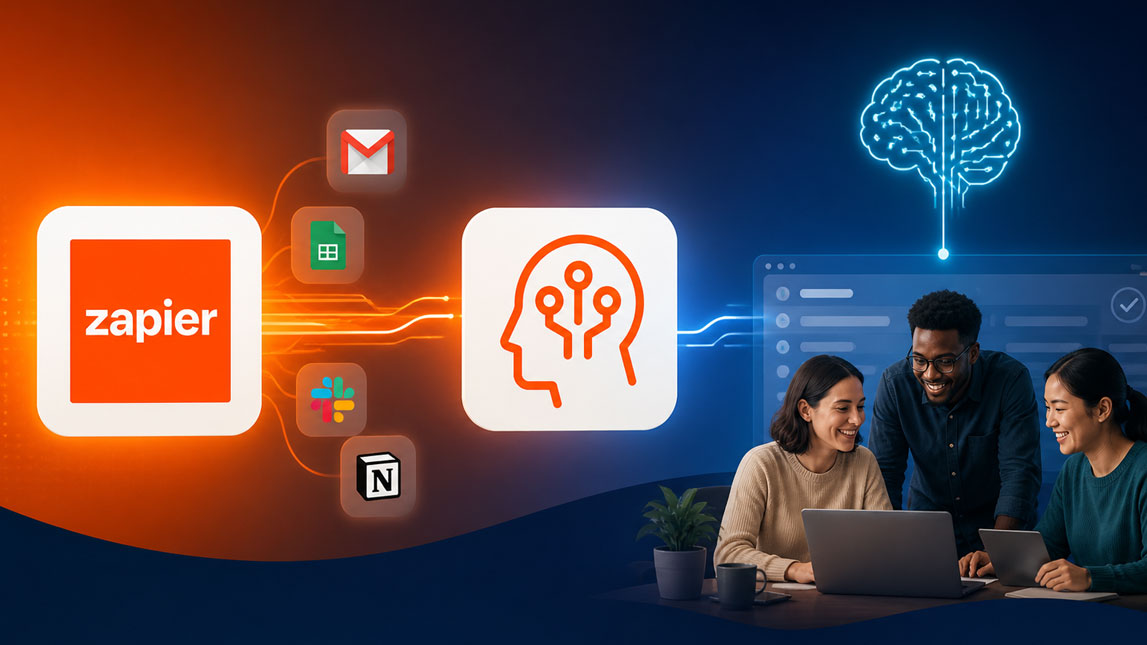
Zapier connects apps through automated workflows called Zaps. Zapier AI adds a smarter layer on top of that. Instead of only saying “when this happens, do that,” you can use AI to interpret text, extract key details, generate responses, and route tasks based on meaning.
A simple example: a new lead submits a form. Zapier AI can read the answer, identify whether the lead is high intent, summarize the request, add it to your CRM, notify the right person in Slack, and draft a follow-up email.
That is why no-code automation with Zapier works well for small business teams. The interface is approachable for non-technical users, but flexible enough to build Zapier AI workflows that feel genuinely useful once a few apps are connected.
Core benefits of Zapier AI automation for small businesses
The biggest benefit is focus. When routine work runs in the background, the team has more room for strategy, customer conversations, creative work, and product improvements.
Zapier AI automation can help small teams in a few specific ways:
- It saves time by handling recurring tasks like summaries, data transfers, lead updates, and notifications.
- It reduces manual errors because information does not need to be copied between tools by hand.
- It improves consistency by applying the same logic to every lead, ticket, request, or content task.
- It supports growth by helping teams process more work without immediately hiring more people.
I like this kind of automation because it does not require a full operational redesign. You can start with one annoying workflow, fix it, then move to the next. That is also how I would approach AI workflow automation for lean business systems, especially if the team is still figuring out its internal processes.
Practical Zapier AI workflows to automate daily tasks
The best Zapier AI workflows usually begin with a sentence like, “I hate doing this every day.” That frustration is useful because it points directly to the workflow worth automating first.
Here are a few practical examples:
| Daily task | AI workflow |
|---|---|
| New leads | Score intent |
| Support tickets | Draft replies |
| Meeting notes | Create summaries |
| Content ideas | Generate briefs |
| Form entries | Extract data |
For lead qualification, Zapier AI can review a form submission, detect urgency signals, then send hot leads to Slack while placing lower-priority leads into a nurture sequence. For support, it can summarize long customer messages and draft a suggested reply before a human reviews it.
Content teams can use it to turn customer questions into blog ideas or newsletter angles. Operations teams can use it for cleaning form submissions, formatting CRM fields, or creating tasks in project management tools. The point is simple: automate tasks with Zapier where the input is repetitive but still needs a bit of interpretation.
Setting up your first Zapier AI workflow: a no-code guide
A first workflow should be boring. Really. The more ordinary it is, the easier it is to test, trust, and improve.
Start with one repetitive task that happens several times a week. Then map what usually happens before and after it. You do not need a complex diagram. A rough “trigger, AI step, action” structure is enough.
- Choose a trigger, such as a new form submission, email, support ticket, or CRM entry.
- Add an AI step to summarize, classify, rewrite, extract, or generate the needed text.
- Connect the output to another tool, such as Slack, Gmail, Notion, Airtable, HubSpot, or Trello.
- Test the workflow with real examples before turning it on fully.
- Review the first results manually so you can adjust the instructions and avoid awkward automation mistakes.
A helpful prompt for an AI step might look like this:
Once the workflow works reliably, you can explore Zapier’s automation platform and build from there. One good Zap is often enough to reveal five more manual tasks that should not be manual anymore.
Real-world impact: how small teams use Zapier AI
Picture a two-person marketing studio handling inbound leads, client updates, and content production. Before automation, every form submission gets checked manually. Someone copies the details into a CRM, writes a Slack note, decides whether the lead looks serious, and drafts a reply.
With Zapier AI, the same team can qualify the lead, summarize the request, create a CRM record, assign a task, and prepare a first email draft automatically. The human still makes the judgment call, but the admin work is already handled.
For a small SaaS business, the use case might be support triage. Zapier AI can summarize tickets, detect urgency, tag product issues, and send bug-related messages into the right project board. That kind of setup does not replace customer support. It simply gives the support person a cleaner queue and fewer tabs to juggle.
That is the quiet power of Zapier for small business workflows. It does not need to look futuristic. It just needs to make the day feel less scattered.
Ready to transform your workflow? get started with Zapier AI
Zapier AI works best when you treat it as a practical workflow layer, not a magic productivity button. Start with one workflow that already costs your team time, then use AI to remove the repetitive parts while keeping human review where it matters.
For small teams, that balance is important. You do not want automation that creates more cleanup work than it saves. You want a system that handles the predictable steps, keeps tools connected, and gives people back the mental space to do better work.
A smart first move is to test one Zap around leads, support, content, or internal updates using Zapier AI automation. Keep it small, measure the time saved, then expand only when the workflow feels stable.
Zapier AI is most useful when it is applied to the small, repetitive moments that quietly drain a team’s energy. A lead needs sorting. A support message needs summarizing. A task needs creating. None of these things feel huge on their own, but together they shape how focused, responsive, and calm a small team can be.
The best place to start is not with a massive automation plan. Pick one workflow that already annoys you, connect the tools involved, and let Zapier AI handle the predictable steps. Then review, adjust, and build from there.
For small teams, that is often where automation becomes practical rather than overwhelming: one cleaner process, one fewer manual handoff, one more pocket of time given back to real work.

Artificial Intelligence Specialist | AI-Driven Workflow Strategist