You open a blank design file, type a few words into an AI image generator, and suddenly you have five visual directions that would have taken half a day to mock up manually. Some are unusable, sure. One has a strange extra hand, another looks a bit too “AI polished.” But one of them gives you the spark you needed.
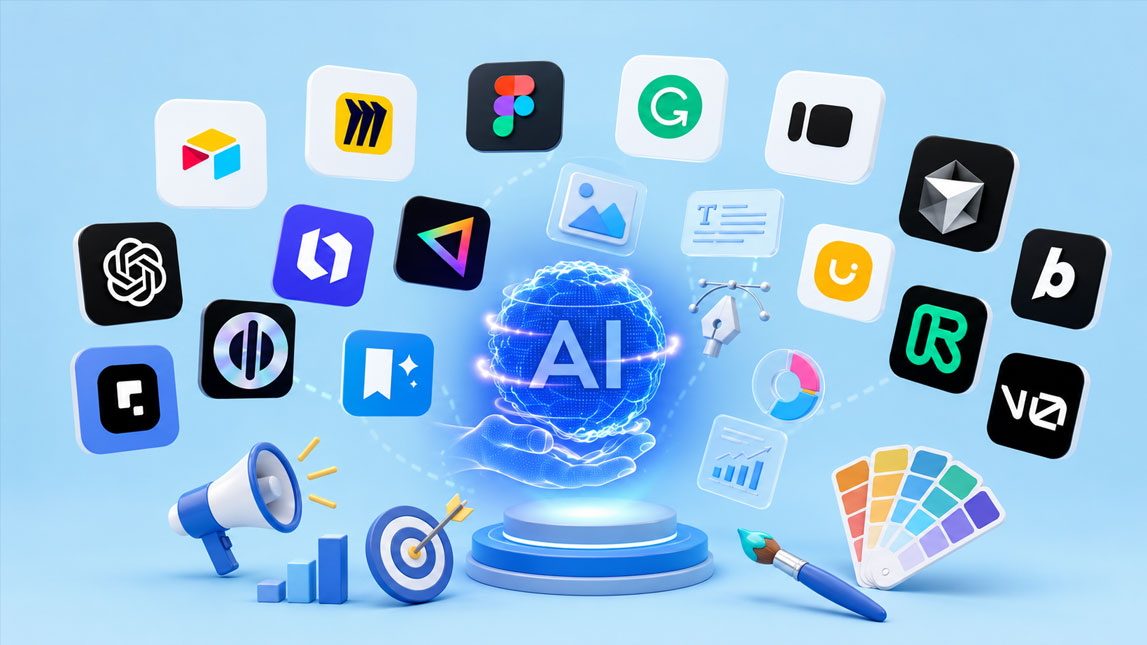
That is why the best AI image generation tools have become so useful for designers, marketers, freelancers, and SaaS teams. They do not replace creative judgment, but they make visual exploration faster, cheaper, and much less intimidating when you need campaign assets, product mockups, ad creatives, or fresh brand visuals without starting from zero.
The rise of AI image generation in design and marketing
AI image generation has moved from “fun experiment” to serious creative infrastructure. A few years ago, most teams used AI visuals for moodboards, rough concepts, or the occasional surreal LinkedIn post. Now, the best AI image generation tools are being used to build ad variations, product scenes, social media assets, landing page hero images, campaign concepts, and brand visuals at a speed that would have felt unrealistic not long ago.
The shift matters because design and marketing teams are under constant pressure to produce more visual content, across more channels, with smaller budgets and shorter timelines. Freelancers feel it too. One client wants polished ad creatives. Another wants product mockups. A third wants “something more premium” by tomorrow morning.
That is exactly where AI image generators for design become useful. They do not replace taste, positioning, or brand thinking. They compress the messy first stage of visual exploration.
The real advantage is momentum. Instead of staring at a blank canvas, you can test visual directions quickly, compare styles, refine a concept, and bring a stronger idea into Photoshop, Canva, Figma, or your ad platform.
Understanding AI image generation tools: benefits for design and marketing
AI image generation tools create visuals from text prompts, reference images, sketches, or existing assets. Depending on the platform, they can generate original artwork, photorealistic scenes, edited images, product backgrounds, illustrations, logo concepts, typography-heavy posters, or campaign visuals.
Most modern AI art tools are no longer just “type a sentence, get a picture.” The better platforms now include image editing, style references, brand controls, background replacement, inpainting, outpainting, aspect ratio options, and sometimes model training. That matters because design and marketing work rarely stops at the first image. You usually need to revise, resize, adapt, and polish.
For designers, the benefit is exploration without the usual production drag. You can rough out campaign art directions, test illustration styles, create visual metaphors, or generate background assets before committing hours to manual execution. I find this especially useful in the “I know the vibe, but not the exact composition yet” stage.
Marketing teams get a slightly different win: volume with variation. A paid social campaign rarely needs one image. It needs ten angles, five hooks, three formats, and enough visual difference to avoid creative fatigue. AI image tools for marketing make that process less painful.
A simple way to think about the value:
| Use case | Main benefit | Best fit |
|---|---|---|
| Concept art | Fast exploration | Design teams |
| Ad visuals | More variations | Marketers |
| Product scenes | Lower shoot costs | E-commerce |
| Social posts | Fresh content | Creators |
| Mockups | Quicker approval | Freelancers |
The catch is that AI still needs direction. Weak prompts produce generic results. Strong creative judgment still decides what fits the brand, what looks credible, and what should never make it into a campaign.
Essential features to look for in the best AI image generation tools
The best AI image generator for one workflow may be annoying in another. A solo marketer creating Instagram visuals needs speed and templates. A SaaS designer needs clean interface mockups, consistent style, and editable outputs. An e-commerce operator may care more about an AI product image generator that can preserve product shape and generate realistic backgrounds.
Output quality is the obvious starting point, but it is not enough. Pretty images are easy now. Useful images are harder.
Look for tools that give you control over composition, aspect ratio, style, lighting, camera angle, and edits. Good prompt adherence also matters. If you ask for “a minimal skincare bottle on a stone pedestal with soft morning light,” you do not want a perfume bottle, a marble bathroom, and random extra labels.
The practical checklist looks like this:
- Output quality: The tool should create sharp, polished visuals without obvious artifacts.
- Prompt control: It should follow detailed instructions without drifting too much.
- Editing options: Inpainting, background changes, and variations save serious time.
- Brand consistency: Reference images, palettes, or custom models help maintain visual identity.
- Commercial clarity: Usage rights and training policies should be easy to understand.
- Workflow fit: The tool should connect naturally with your design or marketing stack.
- Pricing model: Credits, subscriptions, and generation limits need to match your output volume.
Commercial clarity deserves a deeper look than most comparison pages give it. Before using AI-generated visuals in client work, ads, packaging, or paid campaigns, check whether the tool allows commercial use, whether free-plan outputs have restrictions, and whether generated images can be used in your specific industry. Some platforms are built around commercially safer training data, while others give users more flexibility but require more responsibility. Copyright can also be nuanced because ownership, originality, and similarity to existing works may vary by jurisdiction and use case.
There is also an ethical layer. AI image tools have raised fair questions about training data, artist consent, compensation, bias in generated visuals, and the risk of producing stereotyped or misleading imagery. For marketing teams, this is not abstract. A brand that uses AI visuals carelessly can damage trust quickly. The safer habit is simple: use AI to accelerate creation, but keep human review, brand judgment, and cultural sensitivity in the loop.
Top AI image generation tools for design and marketing
Choosing between AI image generators is less about finding a universal winner and more about matching the tool to the job. Some platforms are better for cinematic art direction. Others are stronger for editable design assets, product imagery, or quick marketing layouts.
Here is a quick positioning table before going deeper:
| Tool | Best for | Watch out for |
|---|---|---|
| Midjourney | Art direction | Less structured editing |
| ChatGPT Images | Iterative prompting | Needs clear direction |
| Adobe Firefly | Creative Cloud workflows | Adobe ecosystem fit |
| Canva | Fast marketing assets | Less advanced control |
| Leonardo.AI | Creative production | Feature-heavy interface |
| Ideogram | Text in images | Check final copy |
| Freepik | Asset production | Credit planning |
| Pebblely | Product photos | Product-specific use |
Midjourney
Midjourney is still one of the strongest AI art tools when the goal is visual taste. It shines at cinematic compositions, premium-looking concepts, editorial images, surreal brand worlds, and moodboard-ready art direction.
For designers, Midjourney is excellent when you need to explore a direction before building final assets. Think campaign moodboards, poster concepts, fashion-inspired product scenes, album-art-style visuals, or atmospheric landing page imagery.
For marketers, it is strong for scroll-stopping creative. A SaaS founder could use it to visualize abstract ideas like “workflow chaos turning into clarity” or “a calm AI command center for solo operators.” That kind of visual metaphor can be hard to brief to a stock photo site.
Its limitation is control. Midjourney can create gorgeous images, but it is not always the smoothest option for precise brand-safe edits, typography, or repeatable product shots. I would use it for concept and direction, then refine elsewhere if the asset needs strict production accuracy.
ChatGPT Images and OpenAI image generation
ChatGPT Images is especially useful when you want a conversational workflow. Instead of rewriting prompts from scratch each time, you can explain what is wrong, ask for a specific change, and keep iterating. That feels natural for marketers who think in campaign language rather than pure visual prompt syntax.
The practical use case is broad: ad concepts, blog visuals, thumbnails, branded illustrations, simple product scenes, and creative drafts. It is also good when the visual depends on context. You can describe the offer, audience, pain point, and creative angle in one place, then generate an image that better matches the marketing idea.
I like it for early campaign exploration because the back-and-forth is low friction. You can say: make it less corporate, shift the angle toward indie makers, use warmer lighting, remove the laptop, add more negative space for headline copy. One click and you’re closer.
It may still need human cleanup, especially for final typography, exact UI screens, or regulated product claims. Treat it as a creative partner, not the final approval system.
Adobe Firefly
Adobe Firefly is one of the easiest recommendations for designers already living inside Photoshop, Illustrator, Express, or the broader Adobe stack. Its big advantage is not only generation quality. It is workflow proximity.
For practical design work, that matters because the image does not sit in isolation. It often needs cropping, masking, retouching, layout, resizing, and export.
Firefly is particularly useful for generative fill, background extension, concept variations, and brand-friendly creative production. If you are editing a product photo and need to extend a background for a wider ad format, Firefly can be more useful than a standalone text-to-image tool.
It is not always the wildest creative engine. That is fine. For client-safe production, predictable often beats spectacular.
Canva AI and Dream Lab
Canva’s AI image tools are built for speed. They make sense for marketers, social media managers, freelancers, and small teams that need usable visuals inside an existing design workflow.
The real appeal is not that Canva beats every specialized generator on quality. It is that you can generate, place, resize, add copy, apply brand colors, and publish without jumping between five tools. For a freelancer making client carousels or a founder creating launch graphics, that convenience matters.
Canva is best for:
- Social media graphics that need quick visual variety.
- Blog headers and newsletter images.
- Simple ad creative concepts.
- Presentation visuals and pitch deck graphics.
- Non-designer workflows where layout speed matters.
The trade-off is depth. If you need fine art direction, precise image editing, or custom model control, Canva may feel too lightweight. For daily marketing production, though, it is hard to ignore.
Leonardo.AI
Leonardo.AI sits somewhere between creative playground and production suite. That range makes it appealing for indie makers and creative teams who want more than a simple prompt box.
It is often used for concept art, stylized visuals, game assets, product mockups, backgrounds, and campaign imagery. It has a more advanced feel than Canva, but it is usually more accessible than building a local Stable Diffusion workflow.
For design, Leonardo can be useful when you need a repeatable style across multiple assets. For marketing, it works well for product scenes, hero visuals, and experimental campaign concepts.
The interface can feel dense at first. No biggie if you enjoy testing models and settings, but a marketer who just wants three clean LinkedIn graphics may prefer Canva or ChatGPT Images.
Ideogram
Ideogram deserves attention because text inside AI-generated images has historically been a mess. Weird letters, almost-words, broken slogans, mysterious symbols. Welp, not ideal for marketing.
Its strength is text-aware generation. That makes Ideogram especially useful for posters, quote graphics, thumbnails, packaging concepts, event visuals, and ad mockups where words are part of the composition.
For marketers, this can save a surprising amount of time. Instead of generating a beautiful image and rebuilding all typography manually, you can start with a composition that already understands the role of the headline.
Still, I would double-check every letter before publishing. AI text has improved, but your audience will notice one broken word faster than one slightly imperfect shadow.
Freepik
Freepik has evolved from a stock asset platform into a broader AI creative suite. It is useful for teams that already rely on stock-style workflows but want more customization.
Instead of searching endlessly for “startup founder using laptop in warm office,” you can create a more specific visual direction. That helps with blog headers, landing page images, ad backgrounds, presentation visuals, and quick campaign assets.
For design, Freepik can also help with source material, textures, backgrounds, or alternate visual directions without building everything from scratch. For product-style workflows, its ability to work from references can make it more practical than a generic image generator.
The main thing to monitor is credits and output volume. These platforms can feel cheap until a team starts generating hundreds of variations per week.
Pebblely
Pebblely is more focused than most tools in this list. It is built around AI product photography, which makes it useful for e-commerce brands, solo product sellers, and marketers creating product-led ads.
That specificity is the point. A general AI art tool may produce a beautiful scene but distort the product, change the label, or invent details. A dedicated AI product image generator should help preserve the product while changing the environment around it.
Use it for marketplace images, seasonal campaign scenes, lifestyle backgrounds, email visuals, and ad variants. A candle brand could create cozy winter scenes, minimalist bathroom shots, gift guide images, and bright spring visuals without booking a full photoshoot every time.
It will not replace professional photography for hero campaigns or luxury brand shoots. For testing, small catalogs, and fast creative production, it can be extremely practical.
After reviewing the tools, the choice becomes easier when you map each one to the job you actually need done:
| Need | Best choice | Why |
|---|---|---|
| Premium concepts | Midjourney | Strong visual style |
| Fast iteration | ChatGPT Images | Conversational refinement |
| Design editing | Adobe Firefly | Creative Cloud fit |
| Social assets | Canva | Quick layouts |
| Creative production | Leonardo.AI | Flexible generation |
| Text visuals | Ideogram | Better typography |
| Stock-style assets | Freepik | Asset workflow |
| Product photos | Pebblely | Product focus |
Practical applications: leveraging AI image tools for marketing campaigns and design projects
AI image tools work best when they are tied to a specific business output. Random experimentation is fun, but the productivity gains show up when you connect generation to campaigns, content calendars, product launches, and design systems.
Ad creative variations
Paid campaigns burn through visuals quickly. One image might work for three days, then performance drops. Instead of asking a designer to manually create every variation, marketers can use AI image generators for marketing campaigns and ads to explore different concepts, creative angles, and visual directions before polishing the strongest performers.
A simple workflow could look like this:
- Define the offer, audience, and platform.
- Generate 10 visual concepts around one core message.
- Select 3 strong directions for refinement.
- Adapt each direction into square, vertical, and landscape formats.
- Send the best options through brand and compliance review.
For example, a SaaS tool targeting freelancers could test visuals around “calm dashboard,” “messy workflow cleanup,” and “solo founder command center.” Same product, different emotional hooks.
Product mockups and e-commerce visuals
Product imagery is one of the strongest use cases because the cost of traditional production adds up fast. A small brand may not have the budget for seasonal shoots, props, locations, and editing every month.
AI tools for product mockups and ecommerce visuals can turn a basic product photo into lifestyle scenes, campaign concepts, and different visual environments. That helps teams test visual positioning before investing in expensive production. A supplement brand could test minimalist wellness imagery, gym-focused scenes, desk productivity shots, and travel-friendly layouts. Of course, product accuracy matters. Labels, packaging shape, and claims should be checked carefully.
For e-commerce, I would separate “testing visuals” from “final catalog visuals.” AI is excellent for campaign scenes and exploratory creative. Primary product images still need accuracy, consistency, and trust.
Social media and content assets
AI image tools can also help create distinctive illustrations for blog and social content, from carousel covers and newsletter headers to YouTube thumbnails, Pinterest graphics, and visual metaphors for educational posts.
A marketer writing about automation could generate visuals showing tangled cables turning into clean workflows. A SaaS founder explaining customer support AI could create friendly dashboard illustrations. A freelancer sharing productivity advice could produce a consistent set of branded post backgrounds.
The trick is to avoid the “AI glossy sameness” problem. Use your own color palette, recurring layout patterns, and human editing. A slightly imperfect but branded image usually beats a technically impressive image that feels like everyone else’s.
Design assets and creative direction
Designers can use AI as a visual thinking partner. Not the final designer. The partner that never gets tired of generating alternate directions.
This is useful for moodboards, brand exploration, websiite hero concepts, packaging ideas, event visuals, illustration directions, and presentation aesthetics.
In the early stage of a project, showing three visual territories can help clients make decisions faster.
A compact comparison helps clarify where AI fits:
| Project stage | AI role | Human role |
|---|---|---|
| Discovery | Explore styles | Define direction |
| Concepting | Create options | Choose strategy |
| Production | Generate assets | Edit and approve |
| Optimization | Make variants | Read performance |
That last row is important. Marketing teams should not judge AI visuals only by how impressive they look in a design review. Judge them by what they help you test, learn, and ship.
Tips for optimizing your AI image generation workflow
The biggest mistake I see with AI image tools is treating prompting like a magic spell. Better prompts help, yes, but workflow matters more. You need a repeatable way to move from idea to usable asset.
Start with a creative brief, even a tiny one. Define the audience, format, message, visual style, brand constraints, and what the image must not include. Negative direction is is underrated. If your brand should not look futuristic, corporate, childish, or overly glossy, say that.
Good prompts usually include these ingredients:
- Subject: What should be in the image.
- Context: Where the scene takes place.
- Style: The visual language or reference direction.
- Lighting: The mood and realism level.
- Composition: Camera angle, framing, and empty space.
- Purpose: Ad, poster, mockup, hero image, or social post.
- Constraints: What to avoid or preserve.
Iteration is where quality improves. Do not expect the first output to be final. Generate a batch, pick the strongest direction, then refine one variable at a time: lighting, framing, product position, background, color palette, or emotional tone.
Keep a prompt library. Save prompts that produced strong results, especially for recurring formats like ad backgrounds, product scenes, blog headers, and social covers. Over time, this becomes a creative operations asset
File management also matters more than people expect. Name outputs clearly, track which tool created them, keep approved prompts, and separate experiments from final assets. Future you will be grateful. Slightly smug, maybe, but grateful.
The future is visual: embracing AI for creative excellence
AI image generation is becoming less about novelty and more about creative leverage. The strongest teams will not be the ones generating the most images. They will be the ones building smarter visual systems around these tools.
For designers, that means faster exploration, richer references, and more room for creative direction. For marketers, it means campaign testing can become more visual, more varied, and less dependent on slow production cycles.
The best AI image generation tools are not magic buttons for perfect creative work. They are more like fast visual collaborators: useful for testing ideas, building campaign variations, shaping product scenes, and getting past the blank-page stage without burning hours
For design and marketing teams, the real advantage is not just speed. It is the ability to explore more directions, make sharper creative decisions, and turn rough ideas into usable visuals with less friction.
As these tools keep improving, the teams that benefit most will be the ones that combine AI output with human taste, brand judgment, and a clear sense of what their audience actually wants to see.

Artificial Intelligence Specialist | AI-Driven Workflow Strategist