I usually notice content bottlenecks after the idea is already clear. The concept is there, the angle makes sense, but turning it into a blog snippet, a social graphic, an ad variation, and maybe a short video can suddenly feel like a second job.
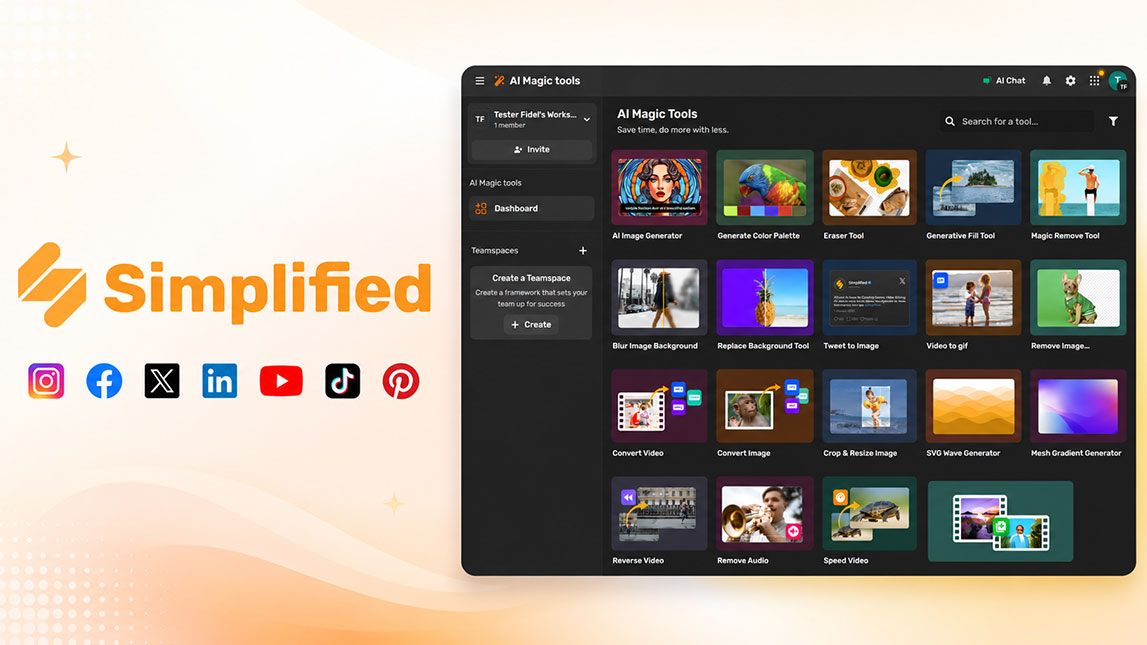
That is where Simplified becomes interesting. Instead of treating writing, design, and repurposing as separate tasks, it gives you a more compact way to turn one idea into several usable content formats without losing the thread along the way.
Introducing Simplified: your go-to AI design tool for content repurposing
Simplified is useful when you already have the idea but do not want to rebuild every content asset from scratch. That is usually where content repurposing gets messy: one concept becomes a caption, then a carousel, then an ad visual, then maybe a short video script. Each version needs a slightly different angle.
With the Simplified AI design tool, that process feels more contained. You can use it as an ai design and copy tool, not just a design editor or a writing app sitting alone in your stack. For freelancers, marketers, and indie builders, this matters because the bottleneck is often not creativity. It is production.
It also fits naturally beside broader AI workflows for turning one idea into multiple visuals, especially when you want one platform to handle both copy and creative assets.
From concept to copy: crafting blog posts and articles with Simplified
The writing side of Simplified helps turn a raw idea into structured copy without starting from a blank page. I would not treat the first draft as final, but it gives you a workable base fast.
A practical flow looks like this:
- Start with one clear idea, such as a pain point, product feature, or campaign theme.
- Ask Simplified to generate article angles, outlines, or short-form variations.
- Refine the output around your audience, offer, and real examples.
As an ai content creation platform, Simplified is strongest when you guide it with context. A vague prompt gives you vague copy. A specific prompt, with audience, tone, and format, gets much closer to something usable.
Visualizing your ideas: designing social media content with Simplified AI
Once the copy direction is clear, Simplified becomes more interesting on the visual side. You can move from a written idea into social graphics, stories, banners, ads, or quick campaign visuals without opening five different tools.
Turning one message into multiple assets
For example, a short blog takeaway can become a LinkedIn carousel, an Instagram story, and a Facebook ad concept. The core message stays the same, but the format changes.
That is where social media design ai actually earns its place. Instead of manually resizing and reworking every design, you can use templates, AI-assisted layouts, and quick variations to test different creative directions. No big production drama.
Here is a simple way to think about the format shift:
| Original idea | Repurposed format | Best use |
|---|---|---|
| Blog insight | Carousel | Education |
| Product benefit | Ad graphic | Conversion |
| Quick tip | Story | Engagement |
Expanding to video: repurposing ideas for dynamic visuals
Video is often the format people postpone because it feels heavier. Simplified can make that step less intimidating by helping you turn existing content into short scripts, scene ideas, captions, and simple visual directions.
From static content to motion
A blog section can become a 30-second explainer. A carousel can become a short narrated sequence. A product tip can become a quick vertical video hook.
This is where content repurposing ai becomes practical, not just trendy. You are not asking the tool to magically invent a strategy. You are feeding it something that already exists, then asking it to reshape the message for a more visual, faster-moving format.
The output still needs judgment. Some AI video ideas can feel a little too polished or generic, so I usually look for the one line that feels sharp, then rebuild the rest around it.
Streamlining your workflow with the Simplified AI design tool
The best way to use Simplified is not to generate random assets whenever inspiration hits. It works better as part of a repeatable content system.
A simple weekly workflow
Pick one main idea for the week. Turn it into one longer piece of copy, three social posts, one visual variation, and one short video concept. That rhythm keeps your content focused without making everything look identical.
A few habits make the simplified review experience better in real use:
- Save brand colors, fonts, and reusable layouts before producing content.
- Create variants from one core idea instead of chasing unrelated posts.
- Edit AI copy before publishing so it sounds like your actual voice.
- Use templates as a starting point, not as the entire creative direction.
Used this way, the simplified ai design tool becomes less of a shortcut and more of a content repurposing station. One idea goes in, several usable formats come out, and your workflow feels a little less scattered.
Simplified works best when you treat it as a practical production layer, not a magic content machine. The real value is in taking one useful idea and shaping it into copy, visuals, and video concepts without constantly switching tools or rebuilding from zero.
For small teams, freelancers, and builders who need to stay visible without spending all day creating assets, that can make content repurposing feel much more manageable. The idea still needs your judgment, but the workflow gets lighter.
FAQ
What is Simplified AI design tool?
Simplified is an all-in-one AI platform designed to help users create stunning visuals, write compelling copy, and manage social media content efficiently. It integrates AI capabilities for design, writing, and video editing.
How does Simplified help repurpose content?
Simplified allows you to take a single content idea or piece of text and quickly adapt it into various formats like social media graphics, blog post excerpts, video scripts, and more, all within one platform, saving time and effort.
What content formats can I create using Simplified?
With Simplified, you can create a wide range of content formats including social media posts, stories, banners, blog graphics, presentations, short videos, ad copy, and long-form articles, all from one central idea.
Is Simplified good for social media design?
Yes, Simplified excels as a social media design AI tool, offering templates, AI image generation, and easy resizing features to create engaging visuals optimized for various social platforms quickly and effectively.
Can Simplified generate both design and copy?
Absolutely. Simplified is an AI design and copy tool that provides AI writers for generating text alongside its powerful design capabilities, enabling users to create complete content pieces from concept to final output.

Artificial Intelligence Specialist | AI-Driven Workflow Strategist